

- WordPress Plugins
Selecting a Host
•
 This is part 2 of our 3-part blogger platform migration series, written as a collaboration between Laurence and the Mediavine Platform Engineering team.
How Laurence Chose a Host
Unlike Blogger, WordPress requires you to find a hosting provider who will store your website on their servers so people can find you. There are a great many hosting providers out there, and which you choose will vary depending on your level of technical knowledge and expertise. Some options to consider include Flywheel, SiteGround, Performance Foundry, Agathon and WP Engine. Personally, I have a good relationship with a web development team in the UK and they recommended Flywheel, which is what we went with. I actually have two websites, one of which is already on WordPress, so we moved them both over to a Flywheel VPS for simplicity. Your next decision is going to be how much of the work you want to do yourself. Whilst most hosts will handle setting up WordPress for you, that will usually be as much help as they will offer. For the rest of the process, from installing and customizing your new theme to migrating your Blogger content across, you will either have to do this yourself or work with a competent web developer or content manager. Personally, I did a combination of the two. I have a web developer who set up a staging environment for me, who then left me to it with getting everything ready. When I was ready to go live, they handled the migration to live, managed issuing my SSL certificate and the various DNS changes that needed to be made to redirect visitors from the Blogger site to my new install on WordPress.Two Cents from a Mediavine Engineer

1. What are your technical requirements?
Your host should provide the requirements set by WordPress or they might not be an ideal choice. Most hosts will have a simple tool to install WordPress so it will run in most places. The other technical requirement you’ll want to pay attention to is storage. If you’re planning to use a lot of pictures, you’re going to want to make sure that your host supports at least 10GB of storage, and that they have options to increase your storage limits without requiring you to pay for other items you’re not using.2. What type of site do you run?
The type of site you run is important for deciding which type of hosting you need. If you’re hosting a blog, you’ll need a different setup than if you’re hosting a storefront or a forum that has lots of input from users. Blog content stays the same so you can use caching tools that will help speed up your site and keep you from needing as much power for your server. If you want to offer items for sale, or take a lot of user input on your site, you might need more power as those types of actions will use more computing power.3. What is your current traffic level?
The amount of traffic that you have will also impact your requirements. But if you’re a serious blogger making it your business you should expect to pay between $30 and $70 for adequate hosting and support.4. What is the hosting company’s plan/procedure for growth and upgrading?
No matter what host you choose, make sure they have tools to let you grow. Most hosts have the ability to scale up your capabilities as your traffic grows or if you need more storage. This feature is a must-have, so if you aren’t sure you should always ask.5. What type of support do you need?
There are different types of hosting that provide varying levels of support. Consider your needs and experience level with hosting to help you decide which kind of host you need. Here are the primary types of hosting:Shared Hosting
This is the most common type of hosting. Shared hosting requires a substantial amount of self service, limited technical support and limited ability to customize settings and options. In most cases this is where people start hosting a new site. Shared hosting is cheap although it typically can’t handle very much traffic.Managed Hosting
Managed hosting is a step up from shared hosting, often comes with much better support, and an ability to handle more traffic. Some managed hosts will even take care of plugin updates and other critical server operations. The trade off is that you will likely have less personal control over server settings and might not be able to install every plugin that you find.Virtual Private Server
A virtual private server is a hosting environment with the maximum server control but little to no technical support. You can decide how you want the server setup, what software you want to run and may even need to install it yourself. However, this option is typically used by people who want to deal with the complicated details of hosting. Some VPS services provide a quick utility for setting up WordPress but the server will not get security updates or any service that you don’t provide yourself.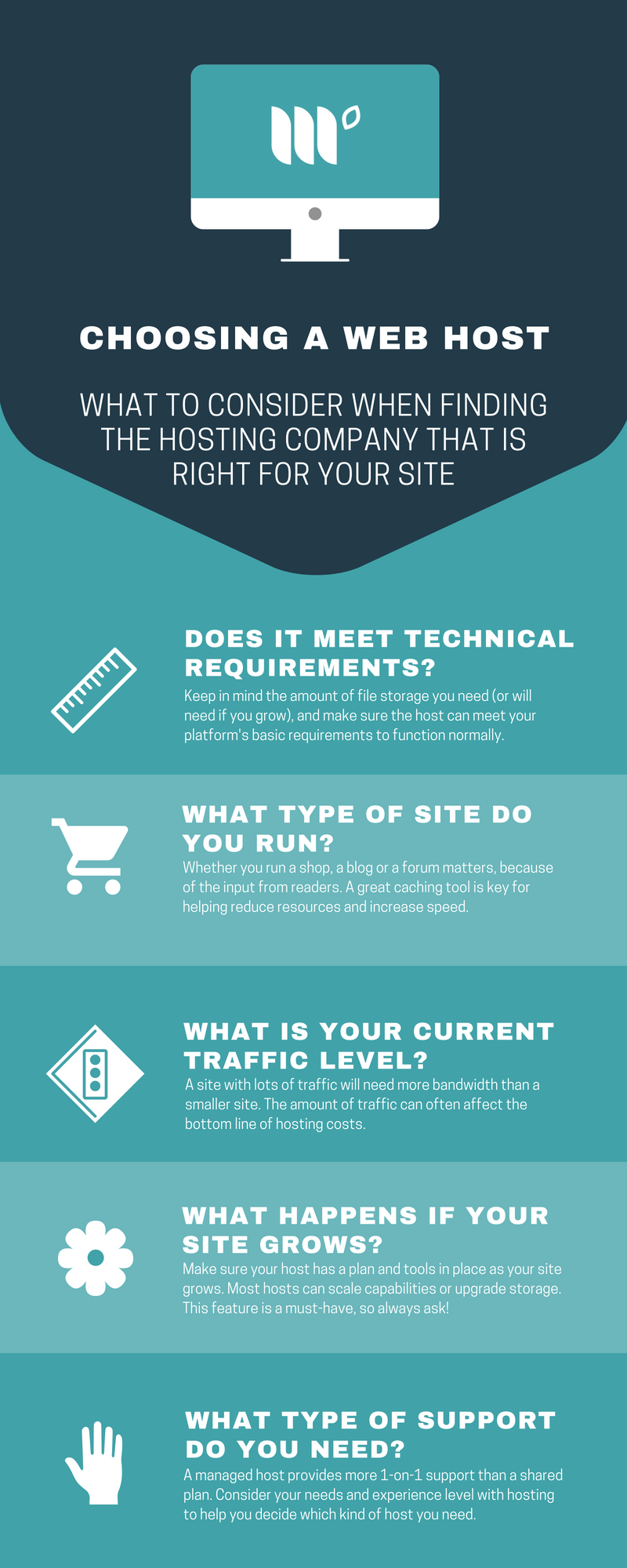 Stay tuned for Part 3 of our migration series, Choosing a Theme, coming soon!
 About the author

Share this page