

- General Blogging
WordPress Gutenberg Tutorial — Your Top Questions Answered
•
What is the difference between Gutenberg and the Classic Editor?
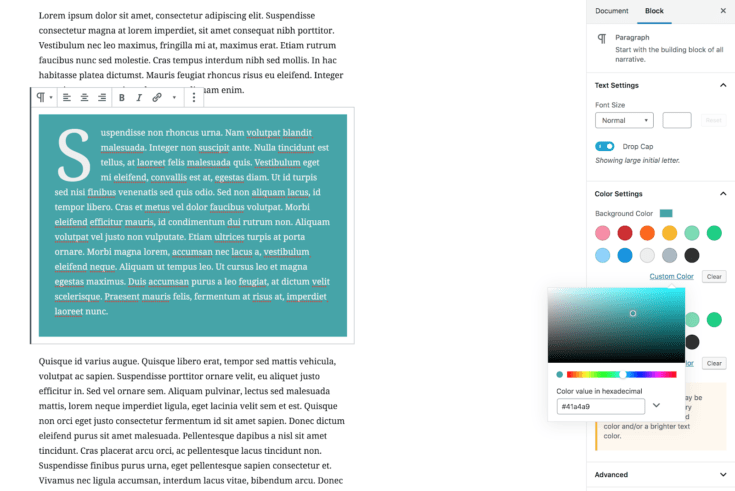
Gutenberg is a reinvention of the editing experience within WordPress. The Classic Editor, or TinyMCE, has been around for years. Classic Editor stores all of your content as a giant blob of text. Text can be formatted, similar to text editors like Word or Google Docs. You can include links, headings or anything you would typically be able to add in those programs. Gutenberg, on the other hand, stores your content as blocks. Blocks provide much deeper formatting options. They can be simple content like headings or images, or layout features like columns, or even entire subsections within a post, like Create recipes. Instead of a single toolbar used to format all your content, you’ll have a toolbar to add new blocks. Each block then has its own controls which are specific for that block.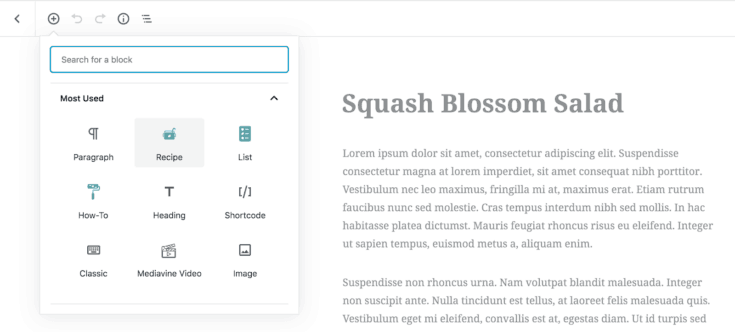
I’m a nerd. How exactly does Gutenberg work?
First dear reader, feel free to skip to the next section if you’re not interested. This is what happens when Marketing asks engineers to write blog posts! Content from Gutenberg is stored in the exact same place in the database as content from TinyMCE — within the “post_content” column in the “wp_posts” table. The difference is that Gutenberg includes HTML comments around each block indicating the block type and any attributes for that block. Depending on the block, content is either stored as HTML or as a set of attributes that the front-end of the site can render pretty much exactly how shortcodes work. This means that whole post content is still stored as a single HTML string, just with some extra “annotations” for content.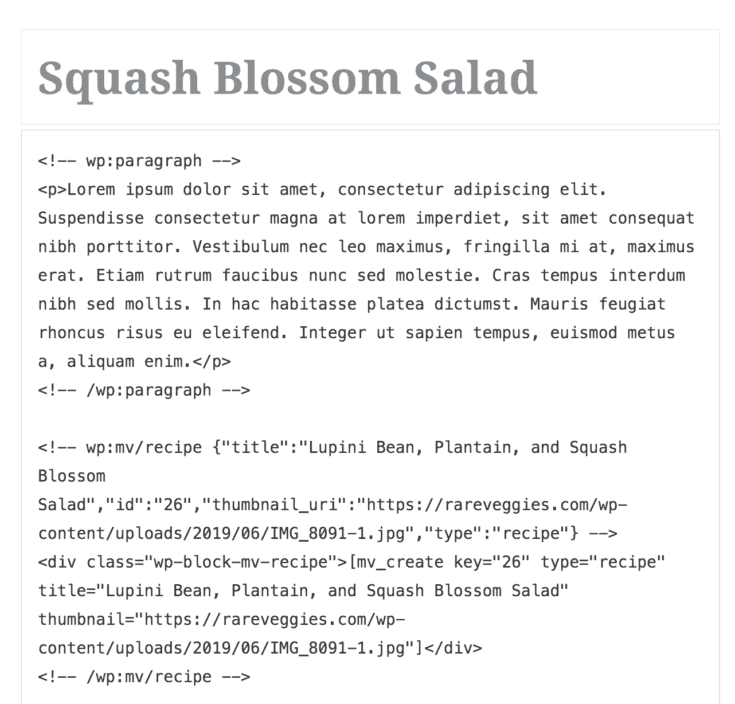
Why do developers like Gutenberg so much?
Well to qualify this, not all developers like Gutenberg. This answer is anecdotal based on my personal experience developing plugins for both Gutenberg and Create. The main reason is that the Classic Editor is really, really, really hard to develop for, and Gutenberg is relatively less hard — chop off two or three “reallys”. This is for a few reasons: First, if you’re a plugin author any other plugin could potentially break yours. The Classic Editor is essentially a giant sandbox where all your plugins coexist. If one plugin has an accident in the sandbox, so to say, it affects all other plugins. Gutenberg, however, allows for each block to be its own sandbox — if one block breaks, it doesn’t affect any others. Second, while it’s not impossible to add interactive features to TinyMCE — and many plugins do — it was never really designed to do so. Without turning this blog post into a self-therapy session, the process of building these features is a little rough. Gutenberg, on the other hand, was designed with interactive blocks in mind. It’s easier to build things, which means that plugins built for Gutenberg tend to have richer feature sets. Happy cows make better milk and happy devs make better plugins.Why do users like Gutenberg so much?
For sites (or posts) that have rich content, embeds, or complex layouts, Gutenberg feels like it was sent from on high. You can build much more flexible content than in TinyMCE, since Gutenberg was explicitly designed to do so. Remember that TinyMCE predates responsive design by about 8 years. Out of the box you have powerful block types like layout elements and the ability to embed widgets directly inside your post content. On the other hand, for other sites or posts that are primarily text, not all blocks make a ton of sense. If this sounds like your blog you can still use a “Classic” block for an entire post, which behaves almost identically to TinyMCE. This affords you the other improvements to the editing experience — like spotlight mode and the much improved sidebar — while still retaining the same editing experience you’re used to (including other plugins that extend TinyMCE).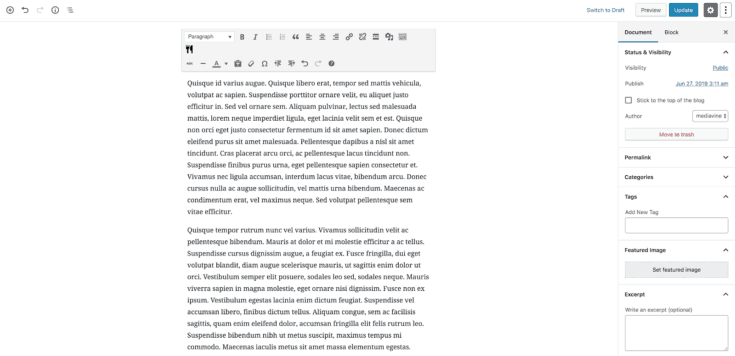
This all sounds rad. So, why was Gutenberg met with so much negativity?
In a lot of community members’ opinions the release was rushed and developers weren’t given enough time to prepare Gutenberg-compatible releases for plugins. Gutenberg itself was released with known bugs and accessibility issues. There were reasons it was released prematurely, but it’s best not to dwell on them. Since its release Gutenberg has reached a place of relative stability and more and more plugins are supporting it. It truly feels like it’s achieving its goal of being the future of WordPress.Will installing Gutenberg break my content?
Not at all! Gutenberg will not break your content. None of your posts are altered until you’ve explicitly clicked “save” on that post in the editor. Even then your content will be fine — it will just be wrapped in a Classic block described above. However, not all plugins are going to be compatible with the Gutenberg editor. Content will continue to display to users the way it already does, but you might not be able to edit it from within the editor. If you depend on a plugin that isn’t compatible with the new editor, you should find an alternative or install the Classic Editor plugin.What does the upgrade process look like?
If you haven’t updated to WordPress > 5.0 do that immediately. Seriously. Close this tab and do it now. At the time of writing this post the latest version is 5.2. Even if you don’t want to move to Gutenberg, please make sure you’re on the latest version and just install the Classic Editor. Old versions of WordPress will have security flaws, so it’s important to always stay up-to-date. If you’re already on WordPress > 5.0 and have the Classic Editor installed, simply deactivate it. Easy! After going through these steps, open a post. In the editor, you’ll see a “Classic” block that behaves identically to TinyMCE. You can leave this alone forever. Or, if you want to use the more granular blocks, you can convert your content — the result will be that your headings and paragraphs will all be discrete blocks. Any shortcodes will turn into shortcode blocks.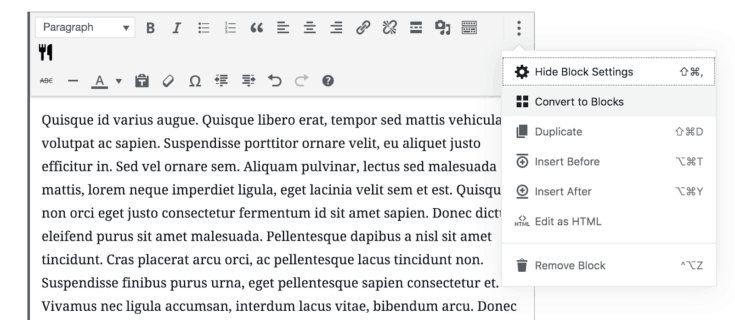
What does using Gutenberg look like? What are some differences between Classic Editor and Gutenberg?
Some things moved to new locations — boxes like Discussion and Excerpt that were previously at the bottom of the post editor are now along the side.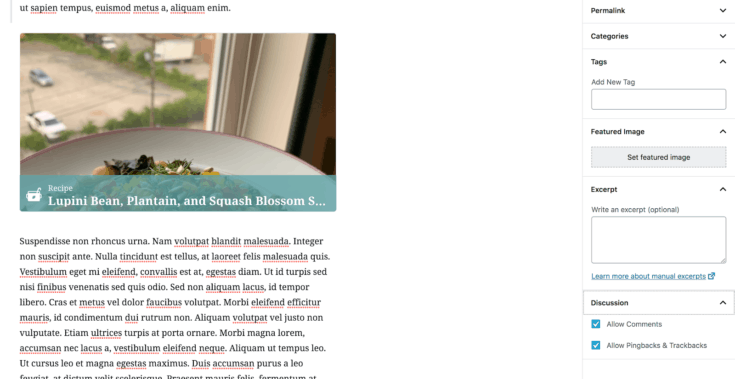
What are some cool Gutenberg tricks?
You can turn on spotlight mode to highlight the current block or fullscreen.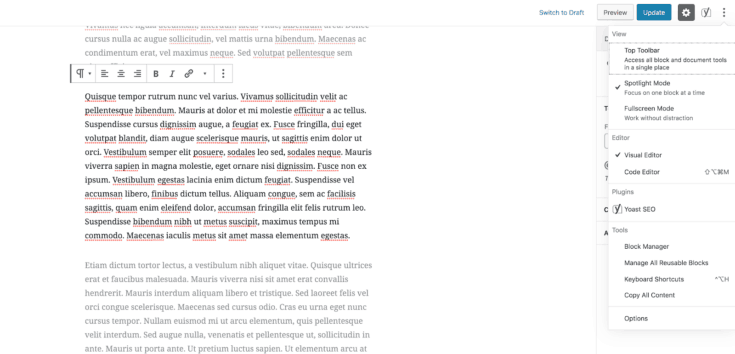
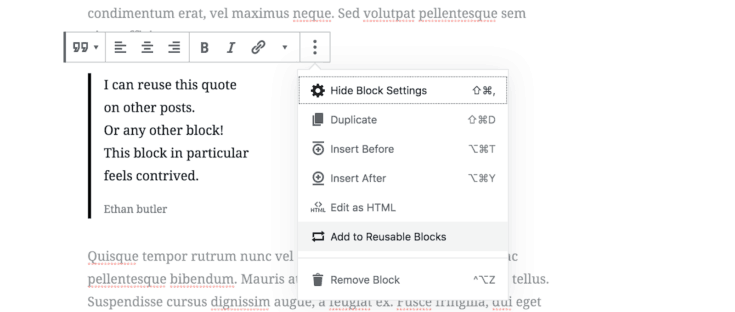
Will installing Gutenberg slow down my site or affect my ad performance?
In 99.999% of cases, no. Out-of-the-box blocks tend to work great performance-wise — remember, they’re just HTML. If you install third-party blocks the block might affect page speed, but that would be the fault of the block itself. This means If you’re coming from TinyMCE, you shouldn’t notice any difference whatsoever. Since the only extra markup Gutenberg creates are HTML comments, content produced in Gutenberg should have a completely neutral effect on performance. If you’re coming from a page builder you might even see a small gain in performance since Gutenberg creates significantly fewer divs than most page builders tend to. Page builders aren’t great for performance, but Gutenberg offers similar capabilities at a much smaller cost. How do I add ad hints to Gutenberg? To manually insert an ad hint, insert an “HTML” block and paste in the code.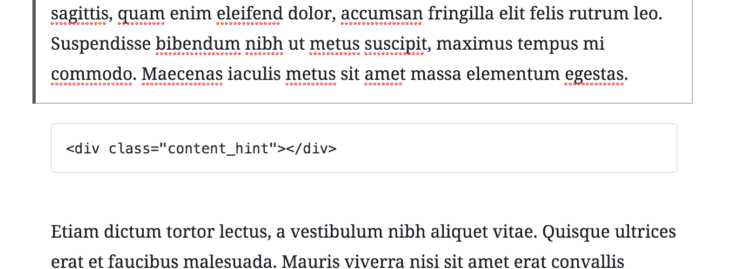
How do I add Mediavine videos to Gutenberg?
Mediavine Control Panel has a video block! Just add a “Mediavine Video” block and select a video you’ve uploaded to your Mediavine dashboard.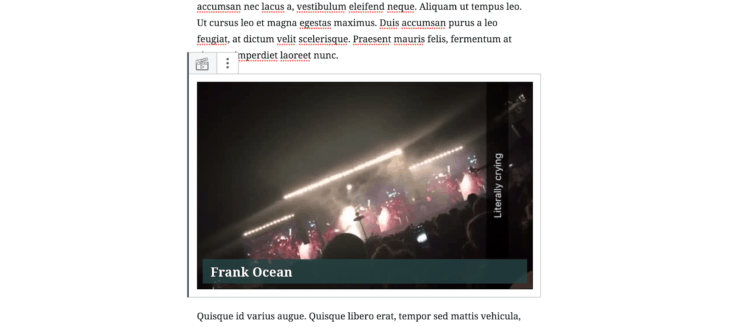
Can I switch back to Classic Editor if I hate it?
In most cases, yes! All content from “vanilla” blocks is backwards-compatible — they’ll continue to work if you activate the Classic Editor. Some third-party blocks may depend on Gutenberg and won’t provide TinyMCE support, so you might lose the ability to edit content created after updating to Gutenberg. If you’re unsure about whether you’re going to stick with Gutenberg, you probably shouldn’t publish mission-critical content with it. Mediavine plugins like Create are committed to both forwards and backwards compatibility, so content created in Gutenberg will work in Classic Editor and vice-versa.What do I lose by not installing Gutenberg?
The future of WordPress is going to be Gutenberg. The idea of a block-based editor is going to make its way to more than posts. The post editor was the first target because it wasn’t something that could be changed gradually, but in future WordPress releases more and more dashboard areas are going to have Gutenberg-like experiences. More developers are shifting to focus efforts on Gutenberg. This means that some plugins you use may eventually stop receiving support. On our end, Mediavine is committed to supporting Classic Editor in our plugins as long as WordPress does, through 2021. We’ll definitely provide legacy support past that point, but after that it’s likely we’ll focus on developing new features for Gutenberg.What features are on the way for Gutenberg?
One of the features I’m personally stoked for is installable blocks. The idea here is that you can install plugins that add block types directly from inside Gutenberg. Think of a block type you need, like a How-To card? You’ll be able to search for that block and install a plugin to add it to your site, all without leaving the editor. There are a ton of other cool features on the way, as well. Remember — Gutenberg makes it significantly easier for developers like us to build awesome tools for publishers like you.About the author

Share this page