

- General Blogging
Manage The Blogging Chaos
•
 Without further ado, here’s Sara!
 Before I began my career at Mediavine, I worked as the Special Sections Editor at a local newspaper in my hometown. I was in charge of producing and organizing content for everything that wasn’t the paper itself, including magazines that varied in genre from hunting to interior design.
The position had me wearing a dozen different hats — I wrote articles and organized other content; I managed our publication calendars; I ran social media pages; I organized giveaways; I worked with sponsors; I planned events; I represented the magazines to potential advertisers and sponsors; and so on. These are hats that online content creators juggle for their own businesses every day.
So what was my secret to keeping all of this in the air without dropping anything? I stay, to quote one of my coworkers, “painfully organized”. But here’s the real secret: it isn’t all that painful. Better yet, getting your work life organized keeps you productive, lowers your stress, and ultimately saves you immense amounts of time and effort.
You can fix a lot of common headaches through the clever use of organizational tools; and if you do it right, they’ll become one of the best weapons in your arsenal. But before I jump into how you can make use of them, I wanted to share my biggest piece of organizational advice: Your organization system should work for you; you should not work for it.
Nothing is a one-size fits all, and you may find that different tools or tricks work better for you than what work for me. That’s okay! The whole point of getting organized is making a system that makes sense to you. With that disclaimer out of the way, I wanted to share some of my favorite tips, tricks and tools that I use as
Before I began my career at Mediavine, I worked as the Special Sections Editor at a local newspaper in my hometown. I was in charge of producing and organizing content for everything that wasn’t the paper itself, including magazines that varied in genre from hunting to interior design.
The position had me wearing a dozen different hats — I wrote articles and organized other content; I managed our publication calendars; I ran social media pages; I organized giveaways; I worked with sponsors; I planned events; I represented the magazines to potential advertisers and sponsors; and so on. These are hats that online content creators juggle for their own businesses every day.
So what was my secret to keeping all of this in the air without dropping anything? I stay, to quote one of my coworkers, “painfully organized”. But here’s the real secret: it isn’t all that painful. Better yet, getting your work life organized keeps you productive, lowers your stress, and ultimately saves you immense amounts of time and effort.
You can fix a lot of common headaches through the clever use of organizational tools; and if you do it right, they’ll become one of the best weapons in your arsenal. But before I jump into how you can make use of them, I wanted to share my biggest piece of organizational advice: Your organization system should work for you; you should not work for it.
Nothing is a one-size fits all, and you may find that different tools or tricks work better for you than what work for me. That’s okay! The whole point of getting organized is making a system that makes sense to you. With that disclaimer out of the way, I wanted to share some of my favorite tips, tricks and tools that I use as 
Assess your needs
It goes without saying that your first step should be determining what areas need work. What are your priorities? Is your pain point organizing your social media? Maybe it’s keeping track of events and conferences, remembering what you still have left to do by the end of the week, or finding crucial information quickly and easily? Write down a list of areas where you find yourself struggling or wanting more structure. This will serve as something you can refer back to as you formulate your plan of attack, and determine what tools are most suited to the jobs you need done. Go through each of these individually, and brainstorm systems you can use to fix them, or tools that you could use to prevent a problem from happening again.
Get a good, all-purpose calendar
Whether you elect to get a physical desk calendar or use an electronic option, you should have one available that keeps track of everything — from posting dates for new blog posts to upcoming trips and vacations that will need to be taken into account as you plan your workload. Visualizing the chaos makes taming it much more manageable! I personally use Google Calendar to keep track of work trips, project due dates, scheduling meetings, and much more. Not only is Google Calendar free, but it also has the benefit of tying in with a lot of third party applications — bonus! If you have a Google account and haven’t been making use of the calendar feature yet, I highly recommend trying it out.
Tame the social media chaos
CoSchedule is a wonderful app. Just saying. CoSchedule is a tool that connects all your social media accounts (Facebook, Twitter, Pinterest, Instagram — pick your poison) into one large hub, where it allows you to schedule and queue posts in an easy-to-use calendar format. This makes cross-promotion for your latest blog post child’s play, and is so much easier than using the queueing options for each individual social platform. You can even use it to schedule posts onto your blog and line up social media promotion with links that haven’t even gone live yet!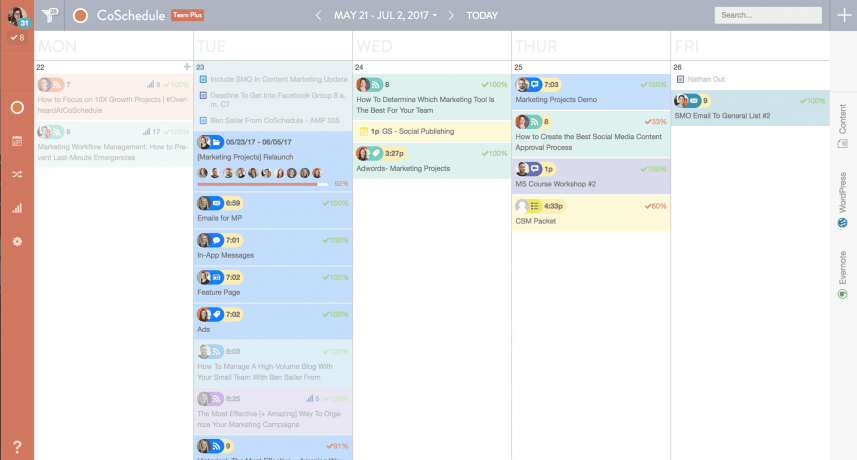 Being able to see your social media schedule laid out in a calendar makes it much easier to balance your posting schedule and avoid dead zones where you aren’t engaging with your audience, or find days when you’re posting too much and need to re-prioritize what gets published when.
This is especially useful for Facebook, where a drop in engagement often coincides with a drop in traffic. (For more information on navigating Facebook’s latest update, check out this awesome post by Mediavine co-founder Steve Marsi!)
Being able to see your social media schedule laid out in a calendar makes it much easier to balance your posting schedule and avoid dead zones where you aren’t engaging with your audience, or find days when you’re posting too much and need to re-prioritize what gets published when.
This is especially useful for Facebook, where a drop in engagement often coincides with a drop in traffic. (For more information on navigating Facebook’s latest update, check out this awesome post by Mediavine co-founder Steve Marsi!)
Create a to-do list
This is an oldie, but a goodie. There’s a reason why to-do lists are a staple; but it’s about time that they got a bit of a facelift. While plenty of people get satisfaction from checking things off a physical to-do list, there’s something I find very convenient about electronic versions. I can include all the details about the item I’m checking off, keep track of events that are upcoming in a few months so I don’t drop the ball and forget them completely, and even look through an archive of things I’ve already checked off — unlike a physical to-do list that was taken out with the trash last week.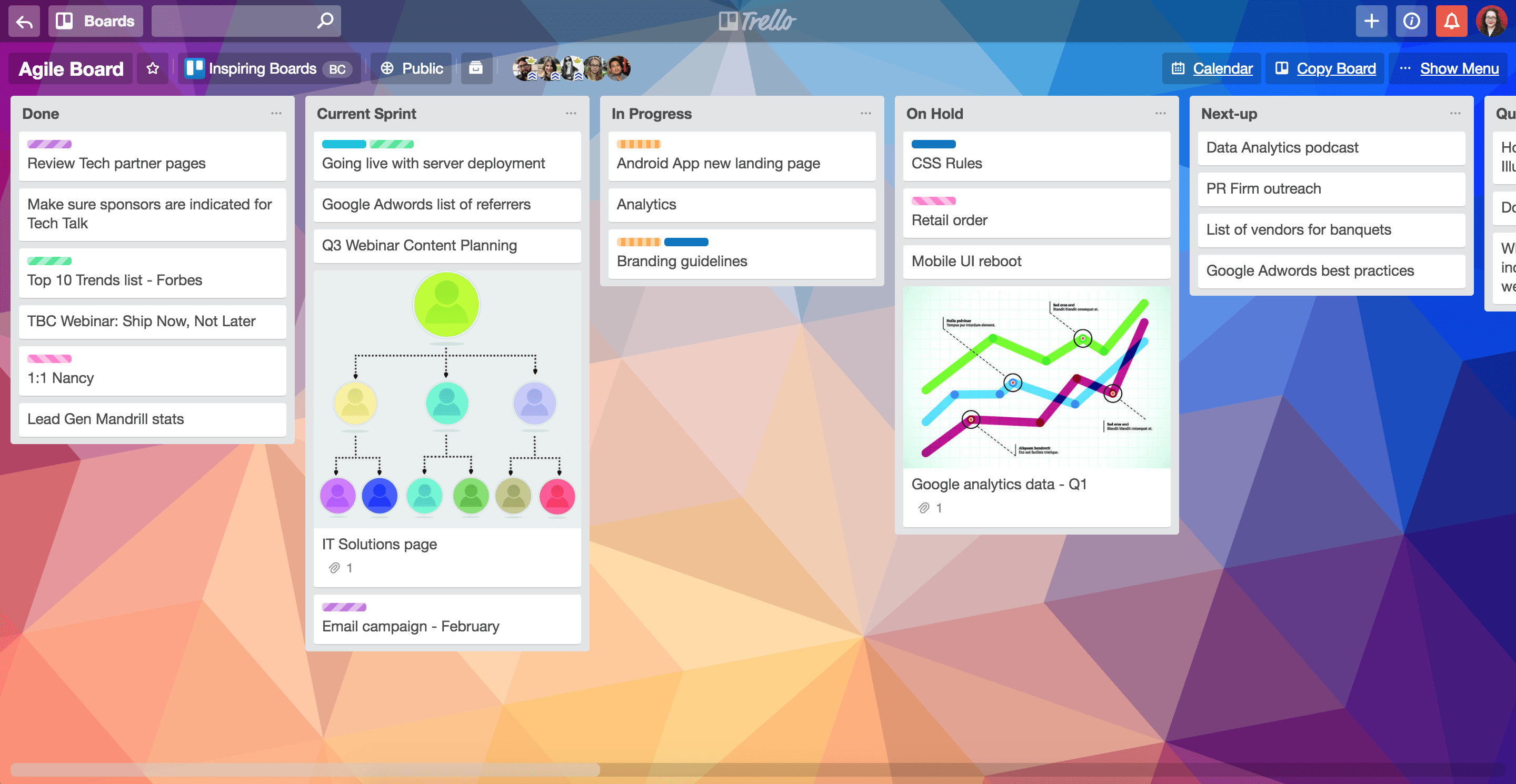 I use Trello to track my main to-do list, as well as to organize individual projects — especially those I need to share with other people. Trello is easy to use, with a simple list and card system that is surprisingly flexible. I also use its description function to add in additional details, such as the reservation numbers and arrival times for the 14-person team going on a retreat next week or notes to remind me on the details I wanted to cover in a certain blog post.
(Besides Trello, there are dozens of apps out there; I’ve also used Asana and Monday at Mediavine and like them, but you should definitely try several options and figure what will work best for you.)
I use Trello to track my main to-do list, as well as to organize individual projects — especially those I need to share with other people. Trello is easy to use, with a simple list and card system that is surprisingly flexible. I also use its description function to add in additional details, such as the reservation numbers and arrival times for the 14-person team going on a retreat next week or notes to remind me on the details I wanted to cover in a certain blog post.
(Besides Trello, there are dozens of apps out there; I’ve also used Asana and Monday at Mediavine and like them, but you should definitely try several options and figure what will work best for you.)
Combine systems whenever possible
If you keep everything in a central hub, you can find things a lot more easily than if you have a separate app or system for every little thing. I only use Trello, CoSchedule and Google Calendar in order to keep track of everything I do at Mediavine, along with an occasional sticky or hand-written note for little things. The fewer places you have to check to find the information you need, the better chance you have of finding it quickly and easily. Make the most of your tools and let them do some heavy lifting!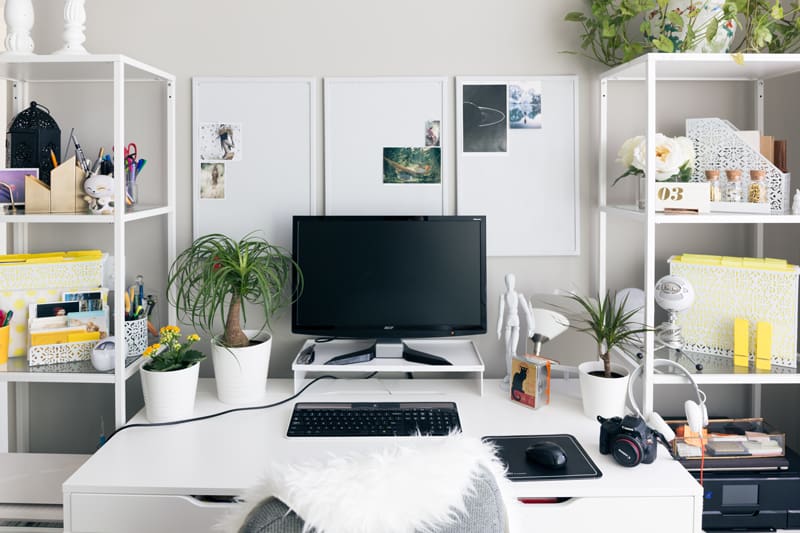
Keep your work space functional
Please note that I say “functional” and not “spotless”. There are some Type A personalities (myself included) that idolize Instagram-worthy organizational heavens of color-coded and labeled perfection. We sigh happily at the idea of everything being aligned just so, pin the latest drawer organizer, and dream of having something that looks like it was straight out of a magazine shoot for our office space. That kind of organization system takes upkeep — and can be overwhelming to the average person. While it’s a great ideal to strive for, it may not be your cup of tea in practice. Which is why I stress keeping things functional, rather than ready for your next “Before and After” shot.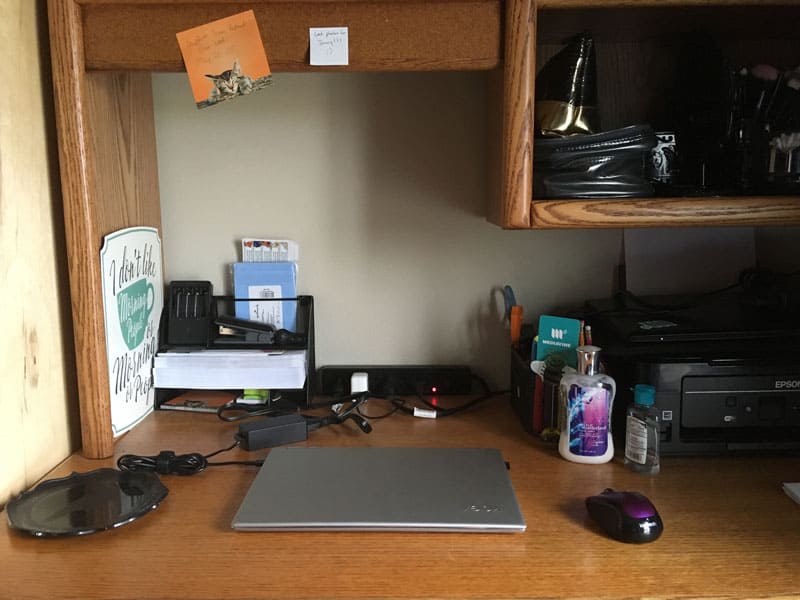
 Have a physical “inbox.” Unsorted papers are a bane to any space you’re trying to keep organized. You’re a human being, and chances are you aren’t going to file something as soon as you get it.
Whether you use a hanging basket on the wall or a desk tray, have a place for physical papers to go when you receive them so they don’t get lost or jumbled with old paper. Make a point of emptying that basket by the end of the week. This will keep stacks from overtaking the space that should be dedicated to things you’re actively working on.
Have a physical “inbox.” Unsorted papers are a bane to any space you’re trying to keep organized. You’re a human being, and chances are you aren’t going to file something as soon as you get it.
Whether you use a hanging basket on the wall or a desk tray, have a place for physical papers to go when you receive them so they don’t get lost or jumbled with old paper. Make a point of emptying that basket by the end of the week. This will keep stacks from overtaking the space that should be dedicated to things you’re actively working on.
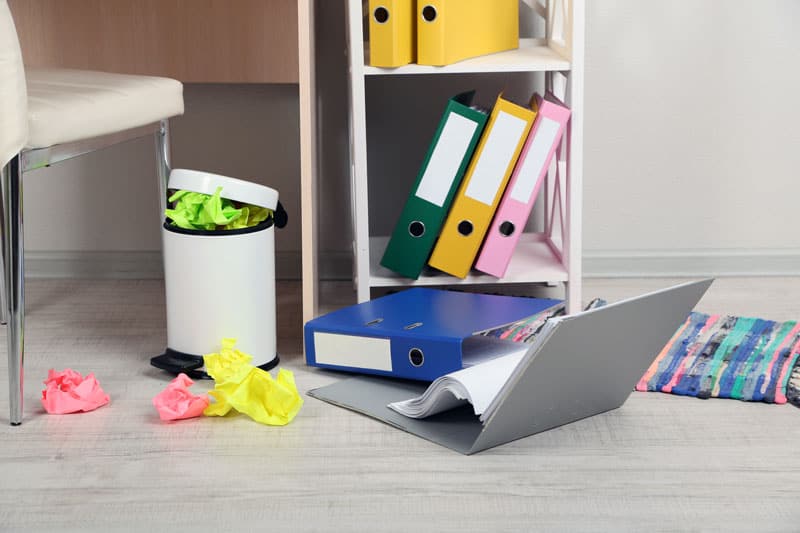 File it when you need it, purge it when you don’t. If you no longer need something, get rid of it. Periodically go through things (I generally do it twice a year, though you could easily make it a part of your spring cleaning routine if you’d rather do it annually, or even quarterly).
Make sure to shred anything that has possibly sensitive information (and when in doubt, just shred it). The point is, make it easier to find the things you need by getting rid of the things you don’t.
Put it away if you won’t be using it in the near future. If you aren’t using something (whether it’s a pen or something as bulky as a sewing machine for all you crafters out there), put it away.
It can be tempting to just leave something out, but the clutter struggle is real if you make a habit out of it. Keep your space from becoming a catch-all, and make sure that things go back into their place when you’re done with them.
File it when you need it, purge it when you don’t. If you no longer need something, get rid of it. Periodically go through things (I generally do it twice a year, though you could easily make it a part of your spring cleaning routine if you’d rather do it annually, or even quarterly).
Make sure to shred anything that has possibly sensitive information (and when in doubt, just shred it). The point is, make it easier to find the things you need by getting rid of the things you don’t.
Put it away if you won’t be using it in the near future. If you aren’t using something (whether it’s a pen or something as bulky as a sewing machine for all you crafters out there), put it away.
It can be tempting to just leave something out, but the clutter struggle is real if you make a habit out of it. Keep your space from becoming a catch-all, and make sure that things go back into their place when you’re done with them.
 I use these tricks every day while I’m working on curbing chaos at Mediavine, and I think they’ll prove useful to anyone who’s trying to make themselves more productive heading into the second half of 2018 and beyond.
If you’re looking for more ways to maximize your workflow, check out this post, where Jenny Guy talked with Nicole Johnson, Mediavine’s Director of Publisher Support, about the tricks she uses with her own blog; with seven kids to take care of (no, that’s not a typo, she really has seven kids!), even I wonder how she does it.
What are your favorite ways to stay organized? We’d love to hear them down in the comments section!
I use these tricks every day while I’m working on curbing chaos at Mediavine, and I think they’ll prove useful to anyone who’s trying to make themselves more productive heading into the second half of 2018 and beyond.
If you’re looking for more ways to maximize your workflow, check out this post, where Jenny Guy talked with Nicole Johnson, Mediavine’s Director of Publisher Support, about the tricks she uses with her own blog; with seven kids to take care of (no, that’s not a typo, she really has seven kids!), even I wonder how she does it.
What are your favorite ways to stay organized? We’d love to hear them down in the comments section!
About the author

Share this page