

- General Blogging
3 Mistakes Bloggers Make on Pinterest
•
 Kate Ahl is the founder and CEO of Simple Pin Media, a Pinterest management agency. Her company has worked with over 600 Pinterest accounts and she manages a team of 40. In addition, she hosts the weekly Pinterest marketing show on the Simple Pin podcast. The podcast allows her to teach simple, actionable tips to those who want to DIY their Pinterest marketing. Kate is on the Mediavine blog today to walk us through the top Pinterest mistakes she sees in her work.
Let me walk you through some major mistakes I see people making and how you can fix them.
Kate Ahl is the founder and CEO of Simple Pin Media, a Pinterest management agency. Her company has worked with over 600 Pinterest accounts and she manages a team of 40. In addition, she hosts the weekly Pinterest marketing show on the Simple Pin podcast. The podcast allows her to teach simple, actionable tips to those who want to DIY their Pinterest marketing. Kate is on the Mediavine blog today to walk us through the top Pinterest mistakes she sees in her work.
Let me walk you through some major mistakes I see people making and how you can fix them.
Mistake #1 — Not adding relevant keywords to board names, board descriptions and pin descriptions.
Half the time people are guessing as to what keywords to use and not being intentional about what they believe their end user is looking for. (Learn more about keywords in this post by Mediavine’s CEO.) So, often, it’s slap up a few keywords you think are working and hope for the best. Here’s how to fix this mistake: To look for the right keywords, start your research by using the search box at the top of Pinterest. (Go here for detailed information on keyword research.) When you type in words, you’ll see Pinterest predict what they think you’re searching for. Those terms are the most popular searches on Pinterest. If you click on one of them, you’ll see colored boxes across the top of the screen called “guided search,” and these are more keywords that you can use. The other place you can search is the new Pinterest trends tool! Right now this is in beta in the U.S. and Canada. Now that you have those keywords, add them to the right places — board names, board descriptions and pin descriptions. Pin descriptions appear to hold the most weight so make sure you’re completing them on your site. If you use the Grow Social plugin, it makes the pin description super easy to input.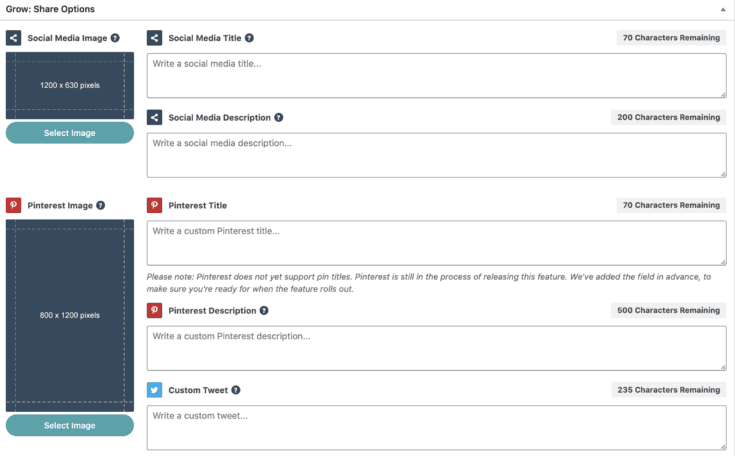
Mistake #2 — Poor quality images or poorly sized images.
Pinterest images are just like billboard advertising, in that people only look at the image because that’s what hooks them in. So, if you have images that are not all that appealing, fuzzy, confusing or lacking context, people will scroll on by. Here’s how to fix this mistake: Choose the right size — 2:3 or 600 x 900. If you use one of the graphic design tools like Canva, their standard Pinterest size is 2:3, so you’re safe. (For more details on Canva and other popular design tools for bloggers, read this post from Susannah, Mediavine’s Senior Graphic Designer.) Use clear and easy to see images, not cluttered. People shouldn’t have to strain on their phone to figure out what’s going on in your photo. Use color. In a sea of white and black, stand out and be bold! Use text overlay to give your photos some context. If I look at a picture of two beach chairs on a sandy beach I might think to myself, “That’s a really pretty photo,” and keep moving along. But, if you add the text, “The most calming beach in Mexico,” then I’m interested!
Mistake #3 — Not creating content or new pins regularly.
Pinterest wants to keep things fresh and relevant. They don’t want users seeing the same thing over and over again, so you have to up your game. This means you need to be creating content at least 1x per week, or at least new images 1x per week. In all my years of Pinterest marketing the bloggers who create content at least 1x per week see greater long-term growth than those who do not. Here’s why — your audience is an amazing tool to help you increase your reach, and when they share your pins this sends a signal to Pinterest that people find value in what you’re writing. Here’s how to fix this mistake: Having an editorial calendar or a good image creation workflow is a great way to overcome this. If you’re struggling with what to create, the best place you can go is to Pinterest analytics. This can tell you what type of activity your pins are getting, as well as WHO is pinning your content. Pinterest Trends is a great tool to use as well if you’re looking for when people are searching for a particular term. Audience Insights is another helpful Pinterest tool that can help you find out gender, location, age and device. For those who have been on Pinterest for at least 6 months and you are noticing some traffic, just take a look at those cornerstone content posts inside Google Analytics. (If you’re not sure about the SEO essential that is cornerstone content or need a little help finding sessions in Google Analytics, we’ve got you covered!)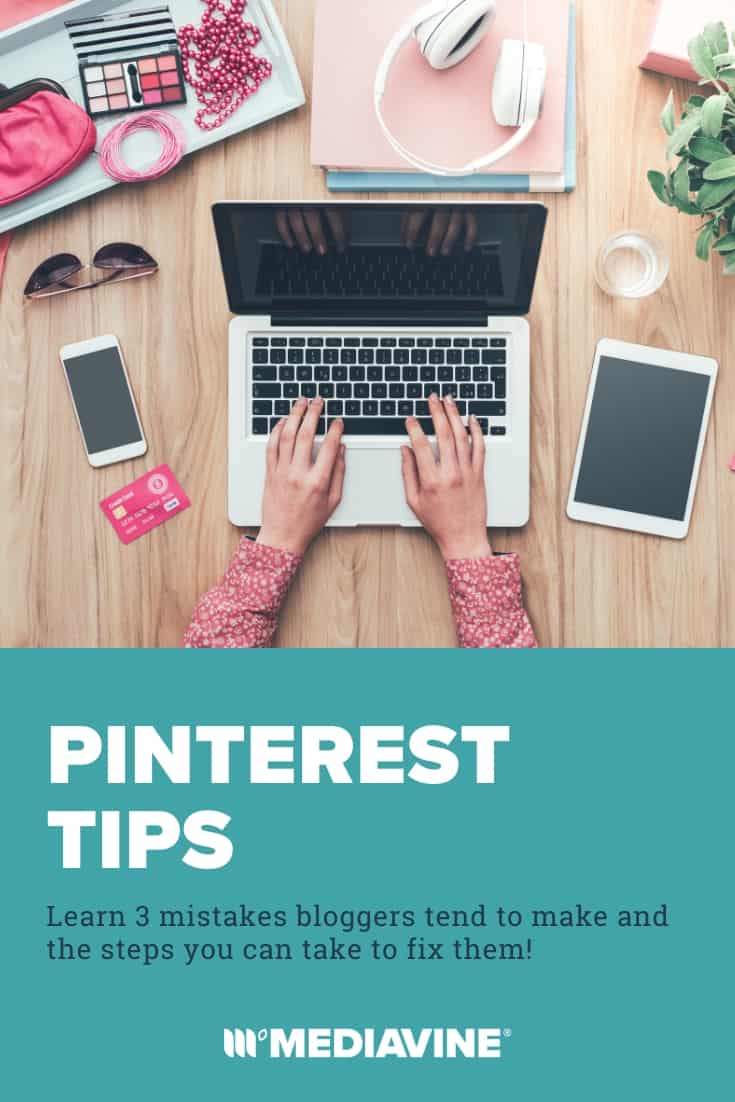
About the author

Share this page